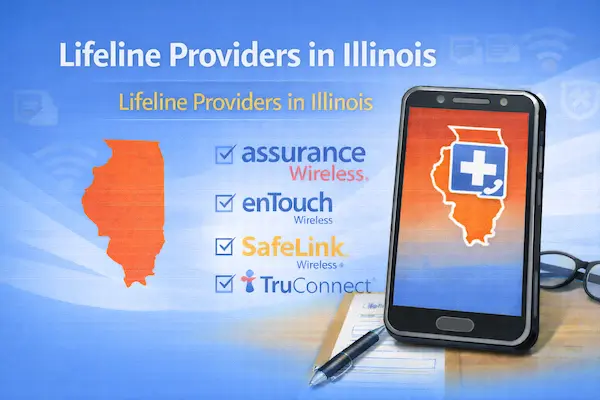
Lifeline Providers in Illinois: Top Options by ZIP
If you’re searching for Lifeline providers in Illinois, the real “best option” is the one that serves your ZIP code.
Illinois has big-city coverage patterns in places like Chicago and very different realities in rural areas, so availability can change fast from one address to the next.
That’s why the smartest way to choose a provider is to compare options in a consistent order, starting with coverage.
In this guide, you’ll get a ZIP-first shortlist, quick mini cards, the most important limitations, and a clear “apply” checklist you can follow without stress.
You’ll also learn how to avoid the common issues that delay approvals, like address mismatches and missing documentation.
Independent content notice.
This article is informational and independent.
We are not affiliated with, endorsed by, sponsored by, or able to control any carrier, government agency, or third-party platform mentioned here.
Provider availability depends on ZIP code, and plan details or device inventory can change at any time.
- If you want a simple checklist before you start, use this step-by-step guide to apply Lifeline online for a free government phone.
- If your main goal is getting a device, read free cell phones from the government so you know what “free” usually means in real offers.
- If you already applied and you’re waiting, follow how to check Lifeline application status before you reapply and accidentally create duplicates.
Top Lifeline providers in Illinois by ZIP code
The top Lifeline providers in Illinois are the providers that show as available when you search using your ZIP code.
Use the list below as a shortlist of common brands and provider types that often appear in Illinois, then confirm availability for your exact address.
- Life Wireless is a well-known mobile Lifeline option with an Illinois-specific plan page and ZIP-based eligibility.
- Assurance Wireless is another mobile Lifeline provider that states availability can be limited to selected areas, which makes ZIP checks essential.
- TruConnect offers a state page for Illinois and commonly appears in mobile Lifeline searches when service is available in your area.
- SafeLink Wireless is a Lifeline-supported service that may appear depending on ZIP code and current enrollment availability.
- Access Wireless is a Lifeline provider that typically asks you to check availability by ZIP before starting enrollment.
- AT&T Lifeline can be an option for certain locations and service types, especially when you want home phone or a traditional carrier pathway.
- Local home phone and broadband providers can also participate in Lifeline in parts of Illinois, which matters if you want the discount on home service instead of mobile.
If you want a faster decision, pick your “must-have” first and eliminate providers that can’t meet it in your ZIP code.
| What you need | Check first | What usually decides your best match |
|---|---|---|
| Mobile phone service | ZIP-based availability | Signal where you live and work |
| Data for apps | Current plan details at checkout | Whether it fits your daily usage |
| Home phone or home internet | Your service address | Whether Lifeline applies to voice, internet, or a bundle |
Read also: If you already have Lifeline and want a better fit, follow how to switch Lifeline providers without risking your benefit.
What each provider offers
Each mini card uses the same order so you can compare providers without getting lost.
You’ll see Coverage, then Data/Talk/Text, then Device options, then ID requirements, then Pros/Cons, then How to apply.
Life Wireless (Illinois)
Coverage: Availability depends on ZIP code, so you’ll confirm service during enrollment for your Illinois address.
Data/Talk/Text: Plan allowances vary by offer and location, so you should treat your enrollment summary as the final source for your monthly amounts.
Device options: Some applicants qualify for a phone offer, while others may be guided to bring a compatible device depending on the offer.
ID requirements: Expect identity and eligibility verification, and be ready to provide documents if automated checks cannot confirm you.
Pros: Illinois-specific plan information can make it easier to understand what you’re applying for before you submit.
Cons: Coverage quality can vary in real life, so what works in downtown Chicago may feel different in a smaller town.
How to apply: Start the provider’s enrollment flow and keep this checklist nearby: apply Lifeline online.
Assurance Wireless (Illinois)
Coverage: Assurance notes Lifeline availability can be limited to selected areas, so ZIP checks are non-negotiable.
Data/Talk/Text: Allowances vary by state offer and can change, so confirm what you see during your application.
Device options: A device may be offered for some approved applicants depending on eligibility and inventory, and others may use a compatible phone.
ID requirements: You’ll complete identity and eligibility verification, plus documentation if automatic verification does not match.
Pros: The ZIP-first approach can save you time by stopping you early if your address is outside coverage areas.
Cons: Limited-area availability can be frustrating if you live near the edge of a service zone.
How to apply: Use the provider flow, and follow this walkthrough if you want it explained step by step: Assurance Wireless Lifeline program apply.
TruConnect (Illinois)
Coverage: Service availability is ZIP based, so confirm your exact Illinois address before you count on it.
Data/Talk/Text: Your monthly plan details can vary by offer, so rely on the final enrollment screen rather than older screenshots.
Device options: Device promotions depend on eligibility and inventory, and some enrollments emphasize bringing a compatible phone.
ID requirements: Identity and eligibility verification applies, and documents may be requested for manual review.
Pros: A solid option when it appears in your ZIP results and matches how you actually use data.
Cons: Address formatting issues can slow approvals, especially with apartments and multi-unit buildings.
How to apply: Apply once carefully, and use Lifeline address verification if your address is tricky or recently changed.
SafeLink Wireless (Illinois availability varies)
Coverage: Availability depends on ZIP code, so your address is the first filter.
Data/Talk/Text: Plan details can vary by offer, so treat headline numbers as estimates until checkout.
Device options: Some offers include device promotions, while other enrollments focus on BYOD or compatible phone options.
ID requirements: Expect identity checks, and be prepared to upload proof if the system requests documentation.
Pros: Many people like it because the brand is widely recognized and enrollment can be straightforward when verification is smooth.
Cons: The offer you see can change, so you should confirm the final plan terms before submitting.
How to apply: Keep your documents ready, and use Lifeline income proof documents as your prep list.
Access Wireless (Illinois availability depends on ZIP)
Coverage: Access Wireless typically requires a ZIP-based availability check before you can complete enrollment.
Data/Talk/Text: Allowances vary by offer and location, so verify details during the enrollment summary.
Device options: Device offers are not guaranteed for everyone, because inventory and eligibility can change.
ID requirements: Identity and eligibility verification applies, and documents may be required if automated checks fail.
Pros: Helpful to compare when you’re building a shortlist of Illinois mobile providers that can serve your ZIP.
Cons: “Free phone” expectations can lead to disappointment if you assume every application includes a device.
How to apply: If you need a device path explained clearly, read free cell phones from the government before you apply.
AT&T Lifeline (Illinois and location-based availability)
Coverage: AT&T advises you to confirm whether Lifeline is offered at your location, so your address decides your options.
Data/Talk/Text: Plan terms depend on service type, so home phone and wireless Lifeline can look different in pricing and structure.
Device options: Wireless options depend on plan and device compatibility, while home phone options follow a more traditional service approach.
ID requirements: You’ll still complete Lifeline eligibility verification, and you may need documents for manual review.
Pros: Useful if you prefer a traditional carrier pathway or want to explore home service options.
Cons: Availability can be location-specific, so you may need to confirm by phone or during the provider’s process.
How to apply: Apply through the standard Lifeline process, and use check Lifeline application status if you’re waiting on verification.
Coverage & limitations for Lifeline providers in Illinois
The biggest limitation with Lifeline providers in Illinois is that “available in Illinois” is not the same as “available at your address.”
Provider availability depends on ZIP code, and network performance can vary a lot between dense urban blocks and rural highways.
Another important rule is that Lifeline is designed as one discount per household, not one discount per person.
That single rule explains why multiple applications at the same address can trigger delays or denials that take time to fix.
If more than one adult in your home needs service, use Lifeline enrollment for multiple family members so you handle household rules correctly.
Illinois guidance also emphasizes that Lifeline can help lower the monthly cost of phone or internet, but you typically cannot apply the benefit to both at the same time.
That means you’ll want to choose the discount placement that helps you most right now.
- Use the discount on mobile service if calls and texts are essential for work, school, and healthcare.
- Use the discount on internet if your household depends on job portals, school platforms, telehealth, or remote work.
- Confirm the exact service type during enrollment so you do not assume the discount applies to something it does not cover.
Address mismatches are one of the most common slowdowns, especially with apartments, multi-family homes, and recent moves.
If your application gets stuck, fix the root cause using Lifeline address verification.
Document requests are also normal, and they usually mean the system needs proof to confirm eligibility.
If you want to prepare before you apply, keep Lifeline income proof documents ready on your phone.
Finally, remember that keeping Lifeline requires ongoing compliance, including recertification when requested.
Save this now so you don’t miss your window later: Lifeline recertification deadline and how to complete.
Content related: If your information changes after approval, update it right away using update your Lifeline information.
How to apply for Lifeline providers in Illinois
You apply for Lifeline providers in Illinois by choosing a provider that serves your ZIP code, verifying eligibility, and activating service after approval.
The smoothest applications happen when you apply once carefully and make sure your details match official records.
- Decide whether you want Lifeline on phone service or internet service, because the benefit typically applies to one qualifying service at a time.
- Search by ZIP code and shortlist two or three providers that appear available for your exact address.
- Gather your personal details, including your full legal name, date of birth, and address written exactly as it appears on your ID.
- Apply through your chosen provider’s enrollment flow and follow every prompt without skipping steps.
- Upload documents only if requested, and make sure images are clear, complete, and readable.
- After approval, activate service and save your confirmation details in a safe place.
If you want a beginner-friendly checklist that walks you through the whole flow, use apply Lifeline online (free government phone) as your step-by-step guide.
If you’re waiting and not sure what’s happening, check progress using check Lifeline application status before you submit again.
Qualifying faster through SNAP, Medicaid, SSI, and other programs
If you qualify through benefits, you can often prepare faster because you already know which program route you’re using.
- If SNAP is your route, use free phones for SNAP to understand what providers usually request.
- If Medicaid is your route, use free phone for Medicaid recipients to avoid missing common documentation steps.
- If SSI is your route, use free cell phone SSI recipients to prepare for the most typical verification flow.
Switching providers or moving out of Illinois
If your coverage is poor or your needs change, you can usually transfer your Lifeline benefit to another company.
When you’re ready, follow switch Lifeline providers to reduce the chance of service gaps.
If you’re moving to a different state, plan ahead with transfer Lifeline to a new state so you don’t lose access during your transition.
Safety and backup options while you wait
If personal safety is your priority while enrollment is processing or you’re replacing a device, set up a backup plan with an emergency phone app.
Once you confirm ZIP availability and submit a clean application, choosing the right Lifeline providers in Illinois becomes much simpler than it first looks.