Can I get a free tablet with Lifeline?
If you’re asking “Can I get a free tablet with Lifeline”, the most accurate answer is: Lifeline itself is a monthly discount for phone and/or internet service, not a guaranteed free tablet program.
That said, you can still sometimes get a tablet deal connected to a Lifeline enrollment, because some providers run device promotions, offer discounted tablets, or bundle low-cost devices with service.
The key is knowing what’s real, what’s rare, and what’s often just marketing (or worse, a scam).
Independent guide: This article is not affiliated with the FCC, USAC, or any Lifeline provider. It’s a practical explanation of what’s possible and how to avoid getting burned.
Quick links to help you move faster
- Lifeline providers near me
- Compare Lifeline providers (coverage, data, phones)
- How to apply for Lifeline online
- Lifeline address verification (what counts as proof)
- Lifeline application denied (common reasons and fixes)
Why “free tablet with Lifeline” is confusing
People search for a free government tablet or a Lifeline free tablet because, for years, there was another federal program that included a device discount for tablets and laptops.
Today, you’ll still see ads and social posts claiming free tablet with Lifeline, free tablet for low income, or even free tablet with EBT, but those messages often mix old information with new marketing.
Here’s the important distinction:
- Lifeline helps reduce the monthly cost of phone service, internet service, or a bundle in many areas.
- Tablet offers are usually provider promotions, limited inventory deals, “low-cost with copay” deals, or non-government programs that help with devices.
So yes, it can be possible to get a tablet in the process of signing up, but you should treat a “free tablet” claim as something you verify carefully, not something you assume is guaranteed.
What Lifeline actually provides
Lifeline is a federal affordability benefit that gives eligible households a monthly discount toward communications service.
You’ll see it described in different ways depending on the provider and plan, including:
- lifeline program internet (when used for broadband or mobile data)
- lifeline broadband program (when used toward home internet or broadband-like service)
- lifeline discount phone service or lifeline discount phone (when used for voice service)
- lifeline phone and internet (when a provider offers a bundle)
If your priority is reliable service first (which is the smart move), start with comparing Lifeline providers and then pick the one that actually has coverage where you live.
So… can you get a free tablet with Lifeline in 2026?
In 2026, a true “no-cost, no-conditions” free tablet with Lifeline is not the norm.
What you might realistically see are offers like these:
- Discounted tablet with a small copay (for example, “$10–$50 tablet” style promos).
- Tablet included with a special promotion (often limited-time, limited inventory, or tied to switching).
- Tablet financing or installment offers bundled with service (not truly “free,” just spread out).
- Refurbished or older-model Android tablets offered as a low-cost add-on.
If someone promises a brand-new iPad Pro, the latest Galaxy Tab, or “guaranteed free tablets for everyone” without eligibility checks, you should treat that as a major warning sign.
Common “free tablet” keywords you’ll see (and what they usually mean)
These phrases show up constantly, and they don’t all mean the same thing:
“Free tablet with EBT” and “EBT tablet”
When people say free tablet with EBT, they’re usually talking about qualifying for Lifeline through SNAP (EBT), then hoping a provider has a device promotion.
That’s why you’ll see it framed as a free tablet with SNAP or “EBT cell phone discount” too.
If SNAP is your qualification route, use this guide to avoid mistakes: how to apply for Lifeline with SNAP.
“Government tablet program” and “free government tablet”
These terms are often used as marketing shorthand. Lifeline is a government-supported discount program, but it does not automatically mean the government is shipping you a tablet.
Think of it like this: Lifeline can lower your monthly bill, and some providers choose to sweeten the deal with devices, but the device part is provider-driven.
“Lifeline internet assistance benefits”
This phrase usually refers to using Lifeline to reduce the cost of internet access (mobile data or home internet). It’s the most reliable “benefit” Lifeline offers, because it’s the part the program is designed to provide.
If you want to optimize for internet access (so a tablet actually becomes useful), compare plan data and coverage first: compare Lifeline providers.
The best strategy: lock in service first, then chase the device
Most people do better when they stop chasing the “perfect free tablet headline” and instead follow a simple order:
- Get approved for Lifeline with clean documents.
- Choose a provider with strong coverage where you live.
- Then check device offers (tablets, upgrades, promos) once you’re already eligible and active.
That way, you’re connected even if a tablet promo disappears tomorrow.
To apply cleanly, use how to apply for Lifeline online and keep Lifeline application step by step open as your checklist.
How to try for a tablet offer without wasting time
If your goal is “Can I get a free tablet with Lifeline”, here’s the realistic process that gives you the best odds while protecting you from scams and bait-and-switch offers.
Step 1: Confirm providers that serve your ZIP code
Start here: Lifeline providers near me.
Tablet offers (when they exist) are usually regional, inventory-based, and tied to specific provider promos. If a provider doesn’t serve your area, nothing else matters.
Step 2: Compare coverage and plan details
Use this comparison page: compare Lifeline providers (coverage, data, phones).
Even if you get a tablet, it will only help you if your plan has enough data (or if you have reliable home Wi-Fi). A tablet without usable internet is basically an oversized calculator.
Step 3: Apply and avoid document mistakes
Apply here: how to apply for Lifeline online.
Two document guides prevent most delays:
Step 4: Track your approval instead of guessing
Use how to check Lifeline application status to stay in control.
If you’re worried about timing, this helps set expectations: how long does Lifeline approval take.
How to spot “free tablet” scams fast
Because “free tablet for low income” is such a popular search, scammers frequently target people who use SNAP/EBT, Medicaid, or SSI.
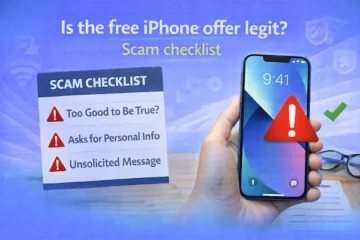
Here are red flags that should make you stop immediately:
- They ask for your EBT card PIN or want you to “verify” your benefits by logging into an EBT portal.
- They demand a big “registration fee” or “processing fee” before anything is approved.
- They promise guaranteed approval with no verification.
- They claim the government is “shipping tablets today” but can’t name a legitimate Lifeline provider or official process.
- They pressure you with urgency: “Only 10 tablets left, pay now.”
A legitimate path usually looks boring: eligibility check, document upload, address verification, and an approval result.
What if your Lifeline application gets denied?
If you’re denied, it often comes down to a fixable issue like mismatched address formatting, unclear uploads, or household duplication rules.
Use this troubleshooting guide: Lifeline application denied (common reasons and fixes).
Fix the exact reason, then resubmit cleanly. That’s usually faster than applying to five random “free tablet” pages and hoping one works.
Can I switch providers to get a tablet?
Sometimes, yes.
Many device promotions in the wireless world are structured like “free tablet when you switch” or “tablet deal for new customers.” If a legitimate provider in your area has a tablet promo, switching can be a smart play.
Just do it correctly to avoid benefit conflicts:
- How to switch Lifeline providers
- How to transfer Lifeline to a new state
- How to update your Lifeline information (address, name)
If your household has special circumstances, read this before switching: Lifeline enrollment for multiple family members.
Do major carriers offer tablets through Lifeline?
You’ll see searches like verizon lifeline discount program and at&t lifeline phone because major brands feel safer.
In practice, many people enroll through approved Lifeline providers (the brand you sign up with), even if that provider operates on a major network in the background.
The best move is still local verification: find providers near you and compare offers that actually exist in your ZIP code.
What about Lifeline home phone or landline options?
If your goal is basic connectivity, you might also consider alternatives like lifeline home phone or lifeline home phone service, especially for seniors or households that prefer a stable number.
Some people search for free landline phone service for low income. Whether it feels “free” depends on local pricing and how the Lifeline discount applies.
Even if your end goal is a tablet, having stable phone service can be the bridge that keeps you connected while you hunt for a device deal.
Realistic alternatives if you can’t get a free tablet
If you can’t find a legitimate “free tablet with Lifeline” offer in your area, you still have good options that are often faster and safer:
- Refurbished tablets from reputable refurbishers or nonprofits (usually far cheaper than retail).
- School district or library device programs (especially for students, job seekers, and digital literacy programs).
- Low-cost Android tablet deals from carriers or retailers (not “free,” but sometimes under $50–$100 on sale).
- Use your Lifeline discount for service first, then save $10–$20/month and buy a basic tablet within a few months.
That last one is underrated: using Lifeline as a government discount phone service can free up enough monthly budget to buy a reliable used tablet without risking scams.
Provider reviews to help you compare legit options
If you’re evaluating providers, reviews help you understand plan structure, activation headaches, and what “free device” language usually means.
- Assurance Wireless Lifeline review
- SafeLink Wireless Lifeline review
- Q Link Wireless Lifeline review
- AirTalk Wireless Lifeline review
- TruConnect Lifeline review
- StandUp Wireless Lifeline review
- Life Wireless Lifeline review
Keep your Lifeline benefit active
Even if you get a device promotion, you still need to keep your Lifeline benefit active to avoid service interruptions.
Recertification is a common “gotcha.” Use this guide and set a reminder: Lifeline recertification deadline (how to complete).
Read also
- Best Lifeline providers near me (how to choose)
- How to apply for Lifeline online
- How to check Lifeline application status
Related content
- Lifeline address verification (proof that counts)
- Lifeline income proof documents (examples)
- How to switch Lifeline providers
Bottom line
If you’re asking “Can I get a free tablet with Lifeline”, the safest expectation is that Lifeline helps pay for service, while tablet offers are optional provider promotions that vary by location, inventory, and terms.
Your best path is to get approved for Lifeline, pick a provider with strong coverage, and then pursue tablet deals only through legitimate provider channels.
If you follow the steps and links above, you’ll avoid scams, reduce delays, and give yourself the best real-world chance of getting a tablet deal that actually sticks.