Replace your Lifeline phone if it’s lost, stolen, or broken
If you’re searching for free government phone replacement, you’re probably dealing with an urgent situation: your Lifeline phone is missing, damaged, or not working and you need service back fast.
Here’s the key thing to understand: Lifeline is a monthly discount benefit for eligible households, but government phone replacement rules are mostly set by your provider, not by Lifeline itself.
That means there is no single “one-size-fits-all” replacement policy. Each Lifeline company decides how replacements work, what counts as warranty, what fees apply for loss or theft, and how long shipping takes.
Independent guide: This article is not affiliated with the FCC, USAC, or any Lifeline provider. Always confirm replacement terms on your provider’s official support pages.
Start here: fast internal links
- Lifeline providers near me
- How to check Lifeline application status
- How to switch Lifeline providers
- Lifeline address verification (what counts as proof)
- How to update your Lifeline information (address, name)
What “free government phone replacement” really means
When people say free government phone replacement, they usually mean one of these:
- Warranty replacement for a phone that is defective (no physical damage, failure under normal use).
- Paid replacement for a phone that is lost, stolen, or physically broken (often a fee or deductible).
- Upgrade purchase at a discounted price (you pay, but less than retail).
- BYOD replacement where you bring your own phone and move your Lifeline SIM to it.
In other words, a true “no-cost replacement” is most common when your phone is covered under a warranty policy and the provider confirms it’s a device failure, not damage.
If your phone was lost or stolen, many providers treat that differently from warranty and may require a replacement fee or offer a discounted device option instead.
Do this immediately if your Lifeline phone is lost or stolen
If your phone is missing, your top priority is protecting your number, your minutes/data (if your plan tracks them), and your account from unauthorized use.
Step 1: Suspend or secure the line
Call your provider as soon as possible and ask them to suspend the account or block the SIM/device. This step matters even if you plan to replace the phone later.
If you are with a specific provider and you are searching things like assist wireless replacement phone, the first action is still the same: contact that provider’s support channel and request a suspend/secure action before you focus on the replacement device.
Step 2: Ask how your provider handles lost/stolen replacements
When you contact support, ask these questions clearly:
- Is there a replacement fee or deductible for a lost/stolen phone?
- Will the replacement be new or refurbished?
- How long does shipping usually take?
- Will my old device be permanently deactivated?
- Do I keep the same phone number and plan automatically?
Step 3: Document the loss if your provider requires it
Some providers may request details like the last date you used the phone, the location, or a police report number for theft (requirements vary).
If your phone was stolen, it can be worth filing a police report for your own records, especially if personal information was accessible on the device.
Step 4: Change your passwords if you used the phone for banking or email
If your phone had saved logins, authentication apps, or access to email, update those passwords right away from another device.
This step is not “Lifeline-specific,” but it’s one of the most important things you can do after theft.
What to do if your Lifeline phone is broken
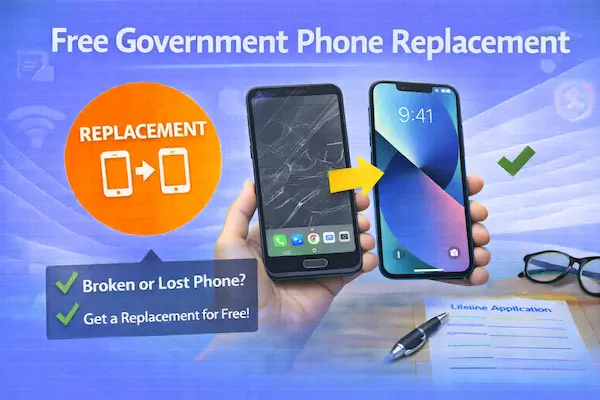
A broken phone is usually handled in one of three categories, and the category determines whether your government phone replacement is likely to be free or paid.
Category A: Defective device under warranty
This is the scenario most likely to qualify for a low-cost or free replacement: the phone fails during normal use and there’s no physical damage.
Examples include:
- Phone won’t charge even with multiple cables
- Random shutdowns not caused by water damage
- Speaker or mic fails without physical impact
In this case, your provider may ask you to return the defective phone (RMA process) and then ship a replacement.
Category B: Physically damaged phone
Cracked screen, water damage, missing buttons, or a bent frame usually falls outside warranty coverage.
Here you may see:
- A replacement fee
- A discounted upgrade offer
- A “bring your own phone” suggestion (BYOD)
If you’re trying to keep costs minimal, BYOD is often the fastest “replacement” because you can buy an unlocked budget phone and move your SIM over.
Category C: Battery or accessory issues
Sometimes the “phone is broken” issue is actually a charging cable, charging brick, or a worn-out battery.
Before you pay for a replacement, test a known-good cable and charger, clean the charging port carefully, and try a different outlet.
Also note that people sometimes search unrelated phrases like defbttech lifeline aed battery replacement. That phrase is commonly associated with medical device batteries and is not a Lifeline phone replacement policy. If you landed here from that keyword, double-check you’re looking for phone service support, not an AED battery part.
Replacement paths that usually work
When you need a free government phone replacement (or the closest realistic alternative), there are four main paths to consider.
Path 1: Replace through your current provider
This is usually the simplest route because your account is already active, your number is already established, and the provider can deactivate the old device and activate a replacement with fewer steps.
If you want to understand how your current company handles devices, reviews can help you set expectations:
- Assurance Wireless Lifeline review
- SafeLink Wireless Lifeline review
- Q Link Wireless Lifeline review
- AirTalk Wireless Lifeline review
- TruConnect Lifeline review
- StandUp Wireless Lifeline review
- Life Wireless Lifeline review
If you specifically need to change Assurance Wireless phone because it was lost, stolen, or broken, start by confirming whether your account needs to be suspended first, and then ask whether the replacement is handled as warranty, paid replacement, or upgrade.
Path 2: BYOD as a “replacement”
BYOD (bring your own device) is often the best replacement strategy if:
- You can’t wait for shipping
- Your provider’s replacement fee is high
- You want a better phone than typical entry-level stock
Most Lifeline providers allow you to use an unlocked compatible phone. You usually just move the SIM card into your replacement device (or activate eSIM if supported).
If you want to keep this process clean and avoid service gaps, compare providers first so you know your network will work where you live:
Compare Lifeline providers (coverage, data, phones)
Path 3: Switch providers if replacement policies are not workable
Sometimes the best “replacement” is leaving a provider that makes the process difficult or expensive.
If coverage is weak or support is frustrating, switching can give you a better plan and sometimes better device options.
Use this guide so you do not create duplicate enrollment issues:
How to switch Lifeline providers
Then compare local options here:
Path 4: Re-apply only if you are not currently active
If your service is already disconnected and you no longer have an active Lifeline line, you may need to apply again with a provider that serves your area.
Start with the clean online flow:
If you’re unsure whether you’re still active or pending, check first:
How to check Lifeline application status
How replacement shipping usually works
Replacement shipping timelines vary by provider, inventory, and whether you must return the old phone first.
In many warranty cases, the provider requires you to mail the defective phone back (RMA) and may not ship a replacement until they receive it or confirm the return label is active.
If you are replacing a lost/stolen phone, there is typically no return device, but there may be a fee and identity verification steps.
To avoid delays, make sure your shipping address is current and formatted correctly.
If you moved recently or your unit number changed, update your info before you request a replacement:
How to update your Lifeline information (address, name)
Documents that can unexpectedly affect replacement
Even though a replacement request is not the same as a new application, providers may still require you to confirm identity or address in certain situations, especially if your account looks unusual or was recently suspended.
These two guides help you avoid the most common proof problems:
Special situations: home phone, landline, and replacements
Some households still use Lifeline as a home phone setup. If you’re searching for replacement options and you use a lifeline home phone service (or lifeline home phone service), the replacement process may involve a different device type, such as a home phone adapter or a fixed-wireless unit.
That also affects expectations for “free” replacements, because equipment policies can differ from smartphone policies.
If you’re not sure what services exist in your area, the fastest move is to confirm participating providers locally and see what they actually offer:
SNAP, EBT, Medicaid, and SSI users: replacement does not change eligibility
If you qualified through benefits and you’re worried that requesting a replacement will cancel your eligibility, take a breath.
Replacing a device generally does not change your eligibility by itself, but you still need to keep your Lifeline enrollment in good standing.
If you ever need to re-apply or switch providers, these guides help:
- How to apply for Lifeline with SNAP (often searched as “EBT”)
- How to apply for Lifeline with Medicaid
- How to apply for Lifeline with SSI
Scam-proofing your search for “free government phone replacement”
Because free government phone replacement is an urgent search, scammers target it.
Be cautious if you see any of the following:
- Someone asks for your EBT PIN, bank login, or full SSN “to verify replacement.”
- A site promises guaranteed free replacements with no provider name and no verification.
- They demand a large upfront “processing fee” before you even confirm your account.
- They pressure you with countdown timers and “limited inventory” language.
A real replacement process is usually boring: provider support, account verification, potential fee disclosure, shipping confirmation, and activation instructions.
What if your replacement request turns into an enrollment problem?
Sometimes a replacement request reveals that your account has an issue: outdated address, duplicate household concerns, or a verification flag.
If your replacement request gets stuck because your enrollment appears inactive or disputed, do these steps in order:
- Check whether you are active or pending: how to check Lifeline application status.
- Check approval timing expectations: how long does Lifeline approval take.
- If denied or blocked, use: Lifeline application denied (common reasons and fixes).
- If household rules are the issue, read: Lifeline enrollment for multiple family members.
Moving states can change your replacement options
If you moved, your old provider may not serve your new address. In that case, a “replacement” might actually require a provider transfer.
Use this guide if you changed states:
How to transfer Lifeline to a new state
Then update your profile:
How to update your Lifeline information (address, name)
How to compare providers if you’re switching for a better replacement option
If you decide the replacement process is too expensive or too slow with your current provider, compare providers like you would compare any other essential service.
Focus on:
- Coverage in your neighborhood (inside your home matters)
- Plan structure (data, hotspot, throttling rules)
- Replacement and upgrade clarity (fees, warranty, shipping)
- Support quality (how fast you can reach help)
Start here for a side-by-side overview:
Compare Lifeline providers (coverage, data, phones)
If you want a guided approach to picking the best local option:
Best Lifeline providers near me (how to choose)
State provider shortcuts
- Lifeline providers in California
- Lifeline providers in Texas
- Lifeline providers in Florida
- Lifeline providers in New York
- Lifeline providers in Illinois
Recertification matters even when you’re replacing a phone
One of the most frustrating situations is getting a replacement phone and then losing service later because you missed recertification.
Keep this page saved and follow it when you receive a notice:
Lifeline recertification deadline (how to complete)
FAQ: free government phone replacement
Can I get a free replacement phone if mine was stolen?
Sometimes, but not always. Many providers treat theft as a lost/stolen scenario and may require a replacement fee or offer a discounted device instead. Your provider decides the exact terms.
Can I keep my number when I replace my Lifeline phone?
Usually yes, if the provider replaces the device on your existing line. If you switch providers, you can typically request a number transfer, but you must follow the provider’s porting steps and avoid canceling your old line too early.
What if I need a replacement immediately?
BYOD is often the fastest solution. Buy an unlocked compatible phone and move your SIM over, or ask your provider if they support eSIM activation.
Is “government phone replacement” the same as upgrading?
Not exactly. Replacement usually means restoring service after loss or damage. Upgrading is choosing a better device. In real life, many people treat a replacement moment as the perfect time to upgrade through BYOD or a discounted upgrade offer.
Why do I see strange keywords when searching for replacement help?
Search results often mix unrelated terms and spammy pages. For example, a phrase like defbttech lifeline aed battery replacement is not related to Lifeline phone service. Stick to your provider’s official support and trusted Lifeline resources.
Read also
- Assurance Wireless Lifeline review
- SafeLink Wireless Lifeline review
- How to switch Lifeline providers
Related content
- Lifeline providers near me
- Lifeline address verification (what counts as proof)
- Lifeline recertification deadline (how to complete)
Bottom line
If you need a free government phone replacement, start by identifying what happened: lost, stolen, physically broken, or defective.
Then contact your provider immediately to secure the line and ask what replacement path applies, because each company’s policy is different.
If the provider’s replacement route is slow or costly, BYOD can be the fastest workaround, and switching providers can be the best long-term fix—especially if coverage or support has been a problem.