Free Cell Phone for SSI Recipients: How to Get Lifeline Service
The most accurate answer is that SSI can help you qualify for the federal Lifeline benefit, and a participating phone company may offer a $0 plan and sometimes a low-cost device.
Once you know what to apply for, what to upload, and how “one per household” works, the whole process becomes way less stressful.
Disclosure: This article is independent and informational.
We are not affiliated with, sponsored by, or in control of the FCC, USAC, Lifeline, SSI, SNAP, the Social Security Administration, Medicaid, or any phone company.
Availability, plans, and devices vary by state and provider, and program rules can change.
Free cell phone for SSI recipients: what you’re really applying for
A free cell phone for SSI recipients usually means you’re applying for the Lifeline discount, and then choosing a provider that can apply it to your phone service.
SSI does not mail phones to you, and Social Security offices do not enroll you in phone plans.
Instead, SSI is one of the qualifying programs that can make you eligible for Lifeline through the official verification process.
That’s why you’ll see phrases like free phone service for SSI recipients and SSI free phone service in ads, even though the underlying benefit is Lifeline.
In practical terms, your goal is to prove eligibility once, then pick the provider offer that fits your real life.
Who qualifies for SSI free phone service and free phones for SNAP
You can often qualify for Lifeline if you receive Supplemental Security Income (SSI), which is why people search for free phone for SSI recipients.
You can also often qualify through SNAP, which is why free phones for SNAP is searched so often.
On top of program-based eligibility, you may also qualify by income, depending on your household income and size.
Quick eligibility map you can use today
- If you receive SSI, you may qualify through program participation.
- If you receive SNAP, you may qualify through program participation.
- If you do not receive SSI or SNAP, you may still qualify through income rules, depending on your situation.
- If someone in your home already has Lifeline, you may need to prove you are a separate household.
This is also where people type broader phrases like free cell phones for social security recipients, because SSI is administered through Social Security, even though Lifeline is a separate FCC program.
How much the Lifeline discount is and what “free” can look like
The Lifeline benefit is a monthly discount that providers apply to eligible phone or internet service, and the standard discount is up to $9.25 per month.
If you live on qualifying Tribal lands, the enhanced discount can be up to $34.25 per month, which can make stronger plans more realistic.
Some providers build their offers so your cost becomes $0 after the discount, and others reduce your monthly bill without making it completely free.
This is why one person’s “free plan” looks different from another person’s plan in a different state or ZIP code.
What you might get: a cell phone for SSI recipients, plans, and device expectations
A cell phone for SSI recipients can mean two different things depending on the provider: bring your own phone, or receive a phone that the provider offers.
Many offers focus on talk, text, and a set amount of data, with the exact data amount varying by provider and location.
Devices are often basic smartphones, sometimes refurbished, and premium models are not guaranteed.
If you already have a decent phone, choosing a bring-your-own-phone option can help you keep quality while still lowering your bill.
If you need a device, treat “free phone” as “provider device offer,” because the provider decides the model and availability.
That’s also why you’ll see searches like SSI free cell phone and free cell phone service for SSI, because people want both the phone and the plan in one simple package.
One benefit per household: the rule that surprises people
Lifeline is generally limited to one benefit per household, even if multiple people in the home receive SSI or SNAP.
If you live with roommates, relatives, or in a shared home, you can still apply, but you must answer household questions correctly.
If someone else at your address already has Lifeline and you are separate households, you may need a household worksheet to explain that.
Getting this part right up front prevents the most common “duplicate” denial.
How to apply for a free cell phone for SSI recipients (8 steps)
You can apply for a free cell phone for SSI recipients by completing Lifeline eligibility verification first, then selecting a provider that serves your area.
Use this exact flow and you’ll avoid most delays, document requests, and household issues.
- Choose your qualification path before you start.
Pick SSI or SNAP as your qualifying program, or choose income eligibility if that fits you better.
- Decide who will be the Lifeline subscriber in your household.
Select one adult applicant and keep that person consistent across the entire application and provider signup.
- Make your personal details match your records exactly.
Use your full legal name, date of birth, and current address exactly as they appear on your official documents.
- Complete eligibility verification through the official Lifeline system.
Submit the application online when possible, because it often moves faster than paper submission.
- If automatic verification fails, upload proof quickly and clearly.
Use sharp photos or scans that show your name, the program name, and the dates, without blur or cut-off corners.
- After approval, compare providers available in your ZIP code.
Look at coverage, data, hotspot rules, and whether they offer bring-your-own-phone or a device shipment.
- Enroll with your chosen provider using the same information you verified.
Keep your name and address identical to what you submitted, because mismatches can trigger extra reviews.
- Activate service and protect your benefit over time.
Use your service at least occasionally, watch for recertification notices, and report address changes so you do not lose service unexpectedly.
Documents you’ll need
You may not need every document if the system verifies you automatically, but having these ready makes your application smoother.
- Proof of identity, such as a government-issued ID, if requested during verification.
- Proof of SSI participation, such as an official award letter or benefit statement that clearly shows you receive SSI.
- Proof of SNAP participation, such as a benefits notice, if you are qualifying with free phones for SNAP eligibility instead of SSI.
- Proof of address, such as a recent official letter or bill showing your name and current home address, if your address cannot be confirmed automatically.
- Household worksheet, if someone at your address already receives Lifeline and you must show you are a separate household.
If your income is variable and you apply by income instead of SSI or SNAP, keep a set of recent proof documents that reflect your current situation.
That can include multiple pay stubs, benefit notices, or other official income records, depending on what you receive.
How long it takes
Online applications can be completed in minutes, and some people get an eligibility decision quickly when their information matches databases.
If you need to upload proof, timing depends on review, so it can take longer than an instant approval.
Provider shipping time for a device can add additional days, especially if inventory is limited.
If you bring your own phone, activation can be faster because you skip delivery time.
If you get denied
If you get denied, the good news is that most denials are fixable once you understand what triggered them.
- Name mismatch: Update your application so your name matches your SSI or SNAP records, including hyphens, middle initials, and suffixes.
- Address change: If you recently moved, use your exact current address and upload a clear proof-of-address document that matches it.
- Household conflict: If another person at your address has Lifeline, complete the household worksheet if you are not one economic household.
- Duplicate applications: Avoid submitting multiple applications with small variations, because duplicates can slow everything down.
- Unclear documents: Resubmit proof with a clear image that shows your name and program participation without blur or glare.
If your denial reason is unclear, check your application messages, correct the specific issue, and resubmit exactly what the system requests.
Before you submit
Use this checklist to submit with confidence and avoid the most common slowdowns.
- Confirm your legal name matches your SSI or SNAP documentation exactly.
- Verify your date of birth and identifying details are correct.
- Review your address, including apartment number, unit letter, and ZIP code.
- Make sure your household answer is accurate for your living situation.
- Choose one eligibility path and stick with it for the same application.
- Upload documents that are readable, complete, and not cropped.
How to check status
You can check your status by returning to the official Lifeline application system you used and reviewing notifications or document requests.
If you also enrolled through a provider, you can ask the provider whether your service activation is pending, shipped, or complete.
When you contact support, keep your application details consistent and have your confirmation information available.
If you see a request for proof, respond quickly, because waiting can stretch the timeline more than you expect.
Choosing the right provider for free phone service for SSI recipients
The best provider for free phone service for SSI recipients is the one that gives you reliable coverage where you actually live and work.
Plan details can vary widely, so comparing with a simple checklist keeps you from choosing based on hype alone.
Use this real-life comparison checklist
- Coverage: Confirm the provider’s network performs well in your neighborhood and inside your home.
- Data: Check how much high-speed data you get and what happens when you use it up.
- Hotspot: If you need to connect a laptop, verify whether hotspot is included and how much is allowed.
- Bring your own phone: Ask whether your current phone is compatible before you switch.
- Device quality: If you need a phone shipped, ask whether devices are new or refurbished and what support is offered for defects.
- Support: Choose a provider with clear customer support options for SIM swaps, address updates, and recertification help.
This is the moment where your search terms can get very specific, like free phone for people on SSI, because you want something simple, stable, and low maintenance.
Avoid scams and protect your information
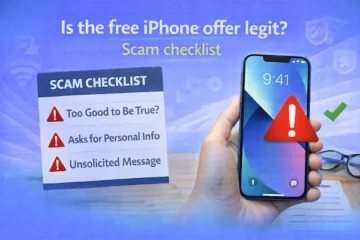
Most legitimate Lifeline enrollments do not require you to pay “activation fees” through unusual payment methods or share sensitive data through random text links.
If something feels pushy, pause and verify you are using official channels for eligibility and a real participating provider for service.
Never give out more personal information than the application requires, and keep copies of what you submit.
Staying cautious is especially important when you see vague ads promising “instant approval” or “guaranteed free phones for everyone.”
How to keep your Lifeline benefit active once you’re approved
Keeping your service active is easier than reapplying, so a few habits can save you a lot of frustration.
If your Lifeline plan is free, you generally must use it at least once every 30 days, and you may receive a notice window to use it before termination.
Separately, you must also complete recertification when requested, and you typically have a limited time window to respond if you are selected for recertification review.
If you move, update your address promptly, because address mismatches are one of the fastest ways to trigger service interruptions.
Quick recap for free cell phone for SSI recipients and free phones for SNAP
If you want a free cell phone for SSI recipients, the most reliable path is qualifying for Lifeline first, then picking a provider that matches your coverage and data needs.
If you qualify through SNAP instead, the same framework applies, which is why free phones for SNAP follows the same application logic.
When you keep your information consistent, answer household questions correctly, and upload clear proof when requested, your odds of a smooth approval go up fast.
You deserve a phone plan that supports your life without draining your budget, and this process is designed to help you get there safely.