How to apply for Lifeline online – Apply for free government phone
Learn how to apply for a free government phone through the Lifeline program.
Step-by-step guide, eligibility requirements, documents needed, and how to check your status.
What Is the Lifeline Program and Who Pays for It?
The Lifeline program is a federal assistance initiative managed by the Federal Communications Commission (FCC) and administered by the Universal Service Administrative Company (USAC).
It was created to ensure that low-income households can afford basic telephone or broadband internet service, recognizing that connectivity is essential for work, healthcare, education, and emergency situations.
The program provides eligible subscribers with a monthly discount of up to $9.25 on their phone or internet bill — or up to $34.25 per month for those living on Tribal lands.
Depending on the provider you choose, this discount may fully cover the cost of a basic plan, which means some participants pay absolutely nothing for their monthly service.
⚠️ Important: The Lifeline benefit is limited to one per household, not per person. It cannot be combined with another Lifeline benefit within the same household.
Funding comes from the Universal Service Fund (USF), which telecom companies contribute to — so you’re not taking anything from anyone’s pocket. This is a program you have every right to use if you qualify.
Who Qualifies to Apply for Free Government Phone Through Lifeline?
You may be eligible to apply for a free government phone through Lifeline if your income is at or below 135% of the Federal Poverty Guidelines, or if you participate in certain qualifying federal assistance programs.
Here’s a quick breakdown of the most common eligibility paths:
- Income-based eligibility: Your household income is at or below 135% of the Federal Poverty Guidelines for your household size.
- SNAP (Food Stamps): You or someone in your household receives Supplemental Nutrition Assistance Program benefits. Learn more about how to apply for Lifeline with SNAP.
- Medicaid: You’re enrolled in Medicaid (Medi-Cal in California or similar state programs). See the full guide on how to apply for Lifeline with Medicaid.
- SSI (Supplemental Security Income): You receive SSI benefits. Check out how to apply for Lifeline with SSI.
- Federal Public Housing Assistance (Section 8): You participate in a housing assistance voucher program.
- Veterans Pension or Survivors Benefit: You or your spouse receive these benefits.
- Tribal-specific programs: Such as Bureau of Indian Affairs General Assistance, Tribal TANF, or Food Distribution Program on Indian Reservations.
If you’re unsure about your eligibility, the National Verifier system — the official Lifeline enrollment platform — will guide you through the process automatically.
What Documents Do You Need Before You Apply?
Before starting your Lifeline application online, it’s smart to gather the right documents so you don’t get stuck halfway through the process.
You’ll typically need to prove your identity, your address, and your eligibility (either by income or program participation).
Identity Documents
- Government-issued photo ID (driver’s license, state ID, or passport)
- Birth certificate
- Social Security card or Individual Taxpayer Identification Number (ITIN) documentation
Address Proof
Your address must be verified as part of the application. Acceptable documents include utility bills, mortgage or lease agreements, and official government mail. For a complete breakdown of what counts, check this guide on Lifeline address verification.
Eligibility Proof (Choose One Path)
- Program participation: Benefit award letter, approval notice, or official document showing your current enrollment in SNAP, Medicaid, SSI, or another qualifying program.
- Income-based: Prior year’s federal tax return, three recent pay stubs, a Social Security statement, or other official income documentation.
For detailed examples of accepted income documents, visit this resource on Lifeline income proof documents.
How to Apply for a Free Government Phone Online – Step by Step
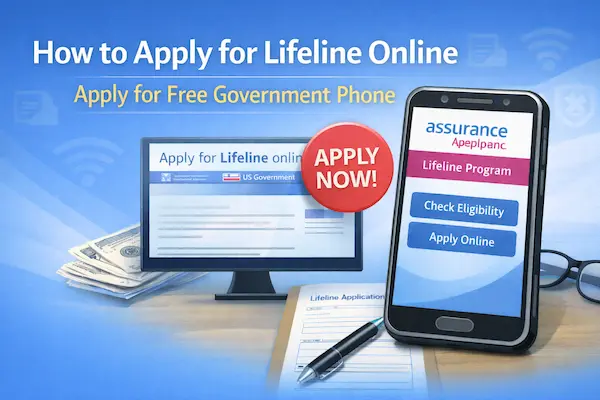
The official Lifeline application is completed through the National Verifier platform at lifelinesupport.org. The process is straightforward, and most people complete it in under 15 minutes.
Follow these steps carefully:
- Go to lifelinesupport.org — the official USAC portal for Lifeline enrollment. Avoid third-party sites that may charge fees or collect your data.
- Create a USAC account using your email address and a secure password.
- Enter your personal information — including your full legal name, date of birth, last four digits of your Social Security Number, and your current residential address.
- Choose your eligibility path — either income-based or program-based. The system will ask for the relevant information based on your selection.
- Upload your supporting documents — the portal will guide you through which files to submit based on your eligibility type.
- Submit your application — once everything is filled in and uploaded, review your information and hit submit.
- Wait for approval — many applications are approved instantly by the National Verifier. Others may require manual review. To learn more about timing, read this article on how long Lifeline approval takes.
- Choose a Lifeline provider — once approved, you’ll receive a confirmation code that you use to enroll with a participating provider in your area.
- Select your plan or free phone — depending on the provider, you may be offered a free device and a basic plan at no cost.
For a detailed walkthrough of the enrollment process, visit the complete guide on the Lifeline application step by step.
How to Check Your Lifeline Application Status After Submitting
After submitting your application, you can track your status directly through the National Verifier portal by logging in to your USAC account.
Status updates typically appear within a few business days, and the system will notify you by email if additional documents are needed or if a decision has been made.
If you need help understanding what your status means or what to do next, this guide on how to check your Lifeline application status walks you through every step.
What Happens If Your Lifeline Application Is Denied?
Getting a denial notice can feel frustrating — but it doesn’t necessarily mean the process is over.
Many applications are denied due to missing documents, mismatched information, or eligibility issues that can be corrected. Common reasons include an address that couldn’t be verified, a name that doesn’t match government records, or an uploaded document that was blurry or incomplete.
The good news is that you usually have the right to appeal or correct your information and reapply. Read the full breakdown of Lifeline application denied — common reasons and fixes to find out what went wrong and how to resolve it.
Other Important Things to Know About the Lifeline Benefit
Enrolling Multiple Family Members
While only one Lifeline benefit is allowed per household, understanding what counts as a “household” is important — especially for larger or multi-generational families. Learn more about Lifeline enrollment for multiple family members.
Switching Providers
Already enrolled in Lifeline but want to move to a different carrier? You can transfer your benefit without losing it. Here’s everything you need to know about how to switch Lifeline providers.
Moving to a New State
If you relocate, your Lifeline benefit may need to be updated or transferred. This process has specific rules depending on your situation, so check out this guide on how to transfer Lifeline to a new state.
Updating Your Information
Changed your address or legal name? You’re required to keep your Lifeline account information up to date. Find out how to update your Lifeline information quickly and correctly.
Annual Recertification
Every year, Lifeline participants must confirm that they still qualify for the benefit. Missing this deadline can result in losing your service. Learn how to complete the process on time with this guide on Lifeline recertification deadlines.
Apply for a Free Government Phone Today — Don’t Leave This Benefit on the Table
The Lifeline program exists specifically for people in your situation — and millions of eligible Americans never claim this benefit simply because they don’t know about it or think the process is too complicated.
But as you’ve seen, the online application is fast, free, and straightforward when you know what to expect.
Whether you qualify through SNAP, Medicaid, SSI, income-based guidelines, or another federal program, you have a real shot at reducing or eliminating your monthly phone costs — and staying connected without financial stress.
Start your application today at lifelinesupport.org and take the first step toward free, reliable connectivity.
📌 Disclaimer: This article is for informational purposes only. We have no affiliation with, control over, or official relationship with the FCC, USAC, or any Lifeline service provider mentioned here. Program rules, eligibility requirements, and available benefits may change at any time. Always consult the official Lifeline website for the most up-to-date information.