Free government phone replacement and free iPhone offers
If you’re looking for free government phone replacement help and you keep seeing ads that promise a “free iPhone today,” you’re not alone.
Most people start searching because their Lifeline phone is lost, stolen, or broken, and they need service back fast.
That urgency is exactly what scammers exploit, especially with flashy headlines like “Free iPhone 13” or “Free iPhone with no verification.”
This guide shows you how to tell the difference between a legit provider offer and a trap, plus what to do right now to protect your number and restore service.
Important reality check: Lifeline is a monthly discount benefit. Phone models and replacement rules depend on your provider’s policies, inventory, and your state.
Quick start links (use these before you click any ad)
- Find Lifeline providers near me (verify who actually serves your ZIP code)
- Compare Lifeline providers (coverage, data, and phone expectations)
- Check Lifeline application status (avoid guessing)
- Application denied? Fix common reasons (fast troubleshooting)
- How to switch Lifeline providers (if your current provider can’t help)
Is the free iPhone offer legit?
Sometimes a “free iPhone” headline can be tied to a real provider promotion, but it’s also one of the most common scam hooks in the phone-benefits space.
The safest way to approach it is this:
- If you need free government phone replacement because your Lifeline phone is gone or damaged, your first step is to secure your line with your current provider.
- Then verify replacement options through official channels (provider support, verified websites, and your local Lifeline provider list).
- Only after that should you consider any “free iPhone” device claims.
Why? Because scammers know you are stressed, you need a phone immediately, and you’re more likely to click fast.
Why free iPhone scams target Lifeline users
When your phone disappears, you’re searching phrases like:
- free government phone replacement
- government phone replacement
- assist wireless replacement phone
- change assurance wireless phone
Scammers buy ads and create pages that mimic official providers or “government” portals.
They’ll often claim you qualify automatically, then push you to pay a “shipping fee,” “activation fee,” or “processing fee,” or they’ll ask for sensitive information they should never need.
That’s why you need a checklist you follow every time—especially when the offer is an iPhone.
First, handle replacement the right way
Before you do anything with a “free iPhone” offer, do the replacement basics in this order.
Step 1: Secure your phone line immediately
If your Lifeline phone is lost or stolen, contact your provider and ask them to suspend service or block the SIM/device.
This protects your number and prevents someone else from using your line.
If your provider is slow to respond, you can still prepare your next move by checking other options in your area using Lifeline providers near me.
Step 2: Identify which replacement category you’re in
- Lost or stolen: Many providers treat this as a paid replacement or upgrade situation.
- Broken with physical damage: Often not covered as warranty; replacement may involve a fee.
- Defective device (no damage): Most likely to qualify for a warranty-style replacement if within the provider’s window.
Your goal is to learn whether your situation qualifies for a free replacement under warranty, or whether you should use BYOD (bring your own device) as the fastest “replacement.”
Step 3: Confirm your address before requesting shipping
Replacement phones get delayed for one boring reason more than any other: address mismatches.
If you moved, changed apartment numbers, or your name formatting is inconsistent, fix it first with how to update your Lifeline information (address, name).
If you’re unsure what counts as acceptable proof, use Lifeline address verification (what counts as proof).
Step 4: If your provider won’t help, switching can be the replacement
Sometimes the most practical government phone replacement solution is switching providers—especially if your current provider charges high replacement fees, has slow shipping, or coverage is poor.
Use how to switch Lifeline providers and compare service quality using compare Lifeline providers.
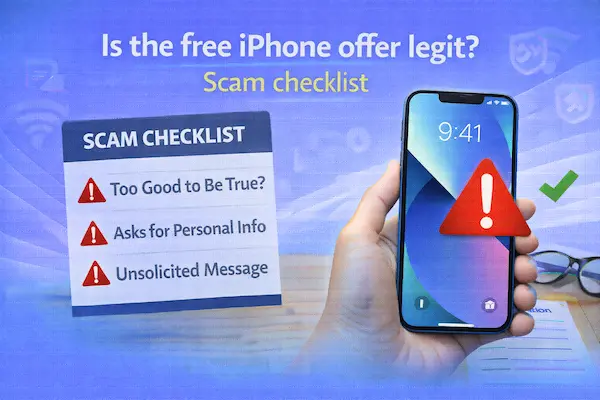
The scam checklist: “free iPhone offer” red flags
If any of the red flags below show up, treat the offer as suspicious until proven otherwise.
Red flag #1: “Pay a fee to claim your free iPhone”
Scammers frequently say the phone is free, but you must pay “shipping,” “insurance,” “verification,” or “registration.”
Legit providers may have transparent upgrade pricing or optional expedited shipping, but a random page demanding payment up front without clear provider identity is a common scam pattern.
Red flag #2: “No verification required”
Any Lifeline-related enrollment typically involves eligibility checks and identity/address confirmation.
If a page promises instant approval with no documentation and no checks, that’s not how legitimate enrollment usually works.
Red flag #3: They ask for your EBT PIN, bank login, or 2FA codes
They might frame it as “EBT verification” or “benefit activation.”
That is not normal. Your EBT PIN is for you, not for a phone shipment.
If you qualify through SNAP, use the safe application route: how to apply for Lifeline with SNAP.
Red flag #4: A strange domain or “look-alike” website
Scam sites copy logos, colors, and language from real providers.
They often use odd domains, misspellings, or extra words like “apply-now,” “govbenefit,” or “freeiphone” added to a confusing URL.
If you can’t clearly identify the provider and verify it serves your ZIP code, stop and use Lifeline providers near me.
Red flag #5: Pressure tactics and countdown timers
“Only 7 iPhones left,” “Offer expires in 10 minutes,” and “Act now or lose your benefit” are classic tactics to push you into fast decisions.
Lifeline benefits do not require you to rush through a sketchy web form.
Red flag #6: They can’t explain replacement policies clearly
Legit providers can tell you what happens if a phone is lost, stolen, or broken, and whether the replacement is warranty-based or paid.
Scam pages dodge these questions and keep pushing you toward payment or data collection.
Red flag #7: They want “front and back” photos of everything
Identity documents are sometimes required for enrollment verification, but scammers often ask for more than needed, delivered through insecure channels like text or random upload forms.
If you need a checklist for legitimate proof, use Lifeline income proof documents (examples).
Legit checklist: how to verify a free iPhone offer safely
If you want to check whether a “free iPhone” offer could be real, verify it using this process.
1) Confirm the provider is real and serves your area
Use Lifeline providers near me to confirm local availability.
Then cross-check with compare Lifeline providers so you’re not relying on marketing alone.
2) Find the device offer inside the provider’s official flow
A legit offer will appear within the provider’s real sign-up process or inside the customer portal after you’re verified.
If you can only find the offer through an ad landing page, treat it as unverified until you confirm it on the provider’s official support or shop pages.
3) Read the exact “free” terms
Look for details like:
- Is it “free” with conditions (switching, staying active, upgrade fee, or limited inventory)?
- Is it “based on availability” (meaning you may get a different phone)?
- Is it refurbished or “equivalent model” (common wording in legit offers)?
4) Confirm replacement policy separately from the promo
This is important if you originally came here for free government phone replacement.
A promo iPhone offer does not automatically solve your replacement problem unless it includes a clear way to activate your existing Lifeline line or switch your benefit cleanly.
If you need to switch to make the offer work, follow how to switch Lifeline providers instead of “double applying.”
5) Use the safest enrollment path when in doubt
If you are not currently enrolled or your account status is unclear, apply through the standard process using:
Then track progress with how to check Lifeline application status.
Provider-specific searches people make during replacement
When replacement hits, people often search brand-specific phrases instead of “Lifeline” terms.
“Change Assurance Wireless phone”
If you’re trying to change Assurance Wireless phone because your device is missing or broken, the safest approach is to contact Assurance support directly and ask what your replacement window and reactivation steps are.
If you cannot resolve it or you want a different provider, switching may be the better move—just do it cleanly using how to switch Lifeline providers.
“Assist Wireless replacement phone”
If you searched assist wireless replacement phone, treat it the same way: go through the provider’s official support channels, secure your line first, then confirm replacement options and fees.
If replacement is slow or confusing, compare alternatives using compare Lifeline providers and check local availability with Lifeline providers near me.
“defbttech lifeline aed battery replacement”
This phrase pops up in search results sometimes, but it is typically related to AED battery replacement topics, not Lifeline phone service.
If you landed here because of defbttech lifeline aed battery replacement, double-check that you’re looking for phone replacement guidance rather than a medical device part.
What to do if you already clicked or paid
If you already entered information on a suspicious page, or you paid a “shipping fee” for a free iPhone, do these steps quickly:
- Contact your bank/card provider to dispute the charge if it looks fraudulent.
- Change your passwords for email and banking, especially if you used the same password elsewhere.
- Secure your Lifeline line by contacting your real provider and asking them to block the SIM/device if needed.
- Check your Lifeline account status with how to check Lifeline application status if you suspect changes or duplicate applications.
- Watch for follow-up scams (fake “refund” calls, fake delivery updates, and “verification agents”).
How to get back online today without waiting for a replacement shipment
If your goal is immediate connectivity and your provider replacement shipping is slow, consider these realistic options:
Option A: BYOD as a replacement
Buy an unlocked, compatible phone (even a low-cost Android) and move your SIM over if your provider allows it.
This is often the fastest “replacement” because you can be back in service the same day.
Option B: Switch providers for faster activation
If coverage is poor or your provider’s process is not working, switching can be the best long-term fix.
Do it correctly using how to switch Lifeline providers so you don’t create duplicate enrollment problems.
Option C: Fix application issues that are blocking your replacement
If replacement is stalled because your account is flagged or your documents don’t match, troubleshoot first:
- Lifeline application denied (common reasons and fixes)
- Lifeline address verification
- Lifeline income proof documents
Scam-proof replacement checklist you can follow every time
Use this checklist whenever you see a “free iPhone” ad while searching for free government phone replacement.
- Secure your line first by contacting your current provider (suspend/block SIM if lost or stolen).
- Confirm providers in your ZIP code using Lifeline providers near me.
- Compare coverage and plan details using compare Lifeline providers.
- Never pay upfront fees on random pages that cannot be verified through official provider channels.
- Never share EBT PINs or banking logins, and be cautious with document uploads outside official flows.
- Verify the offer inside the provider’s official process (not only on an ad landing page).
- Switch providers cleanly if needed using how to switch Lifeline providers.
- Keep your benefit safe long-term by completing updates and recertification on time:
Read also
- How long does Lifeline approval take
- How to apply for Lifeline online
- Lifeline application step by step
Related content
- Assurance Wireless Lifeline review
- SafeLink Wireless Lifeline review
- AirTalk Wireless Lifeline review
- Q Link Wireless Lifeline review
- TruConnect Lifeline review
- StandUp Wireless Lifeline review
Bottom line
If you’re searching for free government phone replacement and a page promises a free iPhone, treat it like a claim that must be verified—not a guaranteed benefit.
Secure your line first, confirm legitimate providers in your ZIP code, and only trust device offers that appear inside official provider channels with clear terms.
If replacement is slow or expensive, BYOD or switching providers can be the safest, fastest way back into service—without risking your identity or your benefits.