Compare Lifeline Providers: Coverage, Data, Phones
Learn how to compare Lifeline providers by coverage, data, and phones, so you choose the best plan.
Lifeline providers near me 👇
- Lifeline providers in California
- Lifeline providers in Texas
- Lifeline providers in Florida
- Lifeline providers in New York
- Lifeline providers in Illinois
- Life Wireless Lifeline review
- SafeLink Wireless Lifeline review
- Assurance Wireless Lifeline review
- Q Link Wireless Lifeline review
- AirTalk Wireless Lifeline review
- TruConnect Lifeline review
- StandUp Wireless Lifeline review
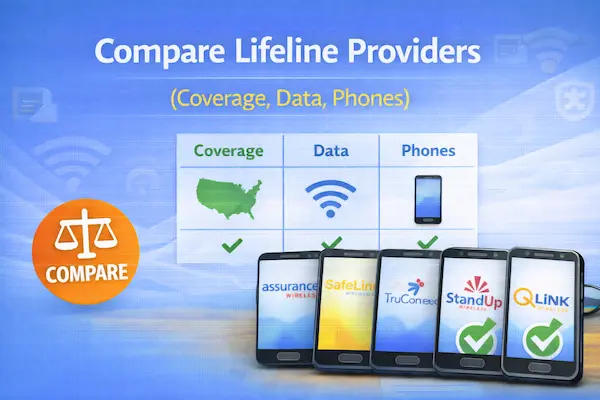
If you’re trying to pick a Lifeline plan, you’re not alone in feeling a little overwhelmed.
The fastest way to get it right is to compare coverage where you live, the real data you’ll get, and what phone options actually fit your day.
Along the way, you’ll see search phrases like government phone companies and wonder which ones are legit.
This guide helps you sort it out without guesswork and without falling for hype.
What Lifeline really is (and what “free government phone” means)
Lifeline is a federal discount that helps eligible households lower the monthly cost of phone or internet service.
That means you’re usually choosing a plan from a company, not receiving a phone directly from the government.
So when you see “free government phone” claims, treat them as marketing language for a provider offer built around the Lifeline benefit.
Some companies may include a phone promotion, but the core value is the monthly discount applied to service.
Keep this mindset and you’ll make calmer decisions, because you’ll be comparing service quality first.
Compare Lifeline providers by coverage, data, and phones
To compare Lifeline providers well, you need a simple scorecard you can reuse for any company you find.
Start with coverage in your exact neighborhood, then confirm data rules, and only then look at phones and extras.
This order matters because a “better” plan is useless if the signal drops inside your home.
Your quick comparison checklist
- Check which network the provider uses and how it performs where you live.
- Confirm how much high-speed data you get before speeds slow down.
- Ask whether hotspot is included and whether it has its own limit.
- See if you can bring your own phone and what models are compatible.
- Look for any monthly fees, activation costs, or shipping charges.
- Verify how support works when something breaks or you need a SIM replacement.
This is the same approach you’d use for any of the Lifeline phone service providers you find online.
It also keeps you from choosing based on a flashy phone photo and regretting it later.
Coverage first: how to judge signal where you actually use your phone
Coverage is the most important factor because it decides whether your calls, texts, and data work reliably day to day.
Many Lifeline service providers operate as partners that use major carrier networks, so “network name” and “provider name” aren’t always the same thing.
That’s why people search phrases like verizon wireless free government phone or at&t wireless free government phone when they’re really trying to find a Lifeline plan on a preferred network.
You may also see at&t wireless free government phones in results, which usually points to network preference rather than an AT&T-branded Lifeline offer everywhere.
Instead of trusting a headline, you’ll want to confirm the underlying network and test coverage in the places you care about.
| What to check | Why it matters | How to verify |
|---|---|---|
| Underlying network | Signal quality varies by area | Ask support which network they use in your ZIP code |
| Indoor signal | Dropped calls often happen indoors | Test a friend’s phone on that network at your home |
| Congestion | Busy towers slow data at peak times | Run speed tests morning, afternoon, and evening |
| Travel areas | You need coverage beyond your block | Check coverage where you work, study, or visit family |
If you’re comparing something like verizon lifeline, remember the important question is whether the plan you’re choosing uses the Verizon network where you live.
You might also run into searches like verizon wireless lifeline program or verizon lifeline program, so treat them as a prompt to verify availability in your state.
When you focus on “network performance in my ZIP code,” the noise disappears quickly.
Data and speed: what “unlimited” can hide
Data is where most surprises happen, so you want to read the plan details like a detective.
Many plans describe “unlimited data,” but the key detail is the amount of high-speed data before speeds slow down.
Once you pass that high-speed threshold, you may still have data, but streaming and video calls can feel frustratingly slow.
Hotspot can be a separate bucket, so a plan can look generous while hotspot is limited or not included.
Because Lifeline plan terms can change, you’ll want to confirm current limits directly with the provider before you enroll.
Questions that protect you from disappointment
- How many GB are high-speed each month before slower speeds apply?
- Do you include hotspot, and is it capped separately?
- Do video streams play at reduced quality by default?
- What happens if I use all high-speed data early in the month?
If your phone is your main internet, prioritize the clearest high-speed data terms over the biggest buzzwords.
When your goal is stability, transparent rules beat vague promises every time.
Phones and BYOP: when the device matters more than the offer
Phones matter because a weak device can make even a great network feel slow and glitchy.
Some lifeline cell phone providers advertise a “free phone,” but the model may be basic, refurbished, or limited in storage.
That’s not automatically bad, but it changes what you can comfortably do with it.
If you already have a phone you like, bringing your own device can be a smarter move than chasing a “free” upgrade.
Compatibility depends on the network and the phone model, so always confirm BYOP rules before you switch.
What to look for in a phone offer
- Whether the phone is new or refurbished and what warranty is included.
- Storage and RAM, because low specs can cause lag and app crashes.
- Battery health, especially if the phone is pre-owned.
- Whether the phone supports VoLTE and the bands used by the network.
If you see a phrase like verizon free government phone, treat it as a reminder to confirm the exact phone model and the network behind the plan.
In practice, the “best phone” is the one that supports your daily apps without stress.
Provider names you’ll see often and how to evaluate them fairly
You’ll often find the same few brands when you search for government phone service providers or free lifeline phone service providers.
Examples you may see include safelink free government phone, q link free phone, access wireless free government phone, and life wireless free phone.
Those names can be real options, but availability and plan details vary by state and can change over time.
So instead of asking “Is this provider good,” ask “Is this provider good for me in my location, with my usage.”
A fair way to compare providers you find online
- Confirm the provider is currently approved to offer Lifeline in your state.
- Verify which network they use in your ZIP code.
- Ask for the current high-speed data amount and hotspot rules.
- Check whether you can keep your number and keep your phone.
- Look up how they handle support, replacements, and lost SIM cards.
This keeps your comparison grounded, even if two providers advertise similar perks.
It also protects you from assuming one brand equals one network everywhere.
Where to compare Lifeline providers in your state without guessing
The most reliable way to compare Lifeline providers is to use official tools that list participating companies by location.
That’s better than relying on ads, because it helps you confirm who actually offers Lifeline where you live.
Once you have a short list, you can apply the coverage-data-phone checklist and choose confidently.
If you prefer a simple workflow, think “official list first, marketing claims second.”
Lifeline internet providers and home broadband options
Lifeline internet providers can be a strong choice if you need reliable connectivity for school, work, or telehealth.
In some areas, Lifeline can be applied to home internet, a mobile data plan, or a bundled voice-and-broadband service.
You’ll want to confirm installation fees, equipment expectations, and whether the plan is truly usable for your household size.
Also remember that Lifeline is limited to one benefit per household, so you’ll plan around that rule.
If you previously used ACP, it helps to know that ACP ended, while Lifeline continues as a separate program.
Home-internet questions that matter
- Is this plan fixed home internet, mobile hotspot, or a phone plan with data?
- What speeds are typical during peak evening hours?
- Are there equipment costs or return requirements if you cancel?
- What happens if you move to a new address?
When home internet is the goal, prioritize stability and support over a slightly bigger data number.
A plan you can troubleshoot quickly is worth more than a plan you can’t get help with.
Step-by-step: enroll, activate, and switch smoothly
You can enroll faster when you prepare your info, follow the official eligibility flow, and keep copies of what you submit.
Switching is also easier when you protect your phone number and avoid overlap gaps.
- Check whether you qualify based on income or participation in qualifying assistance programs.
- Gather documents that match your situation, like proof of income or program participation.
- Complete the official eligibility verification process and save your approval details.
- Choose a provider available in your state and confirm the plan’s current terms.
- Decide whether you’re keeping your number and whether you’re using your current phone.
- Activate service and test calls, texts, and data in your common locations.
- Set a reminder for any required usage or recertification so you don’t lose the benefit.
If you’re porting a number, keep your existing service active until the transfer completes.
A little patience here prevents the most common “I lost my number” nightmare.
Common mistakes people make when choosing government phone companies
Most problems happen because people choose based on a headline instead of verifying details that affect daily life.
You can avoid almost all frustration by watching for these patterns before you commit.
- Picking a plan before checking real coverage inside your home.
- Assuming “unlimited” means unlimited high-speed data.
- Ignoring hotspot rules when you actually rely on hotspot often.
- Chasing a phone offer without confirming the model and condition.
- Forgetting that availability varies by state for many providers.
- Not saving confirmation numbers, support chats, or approval details.
If you slow down for ten minutes and verify these points, you’ll usually save weeks of stress later.
That’s the quiet advantage of making decisions with proof instead of hope.
Your simple decision framework (pick the best match for your life)
The “best” plan depends on how you use your phone, so it helps to choose based on your daily routine.
Use these three profiles to find the most natural fit quickly.
If you mainly call and text
Choose the provider with the strongest coverage where you live and the clearest support path if issues happen.
A basic plan on a reliable signal beats a fancy plan that drops calls.
If you rely on data every day
Prioritize transparent high-speed data terms and hotspot rules, then choose the best-performing network in your area.
Consistency is the feature you’re really buying, even when the plan is discounted.
If you need a phone too
Compare the actual phone model, condition, and warranty, then weigh it against bringing your own device.
Sometimes the smartest move is keeping your current phone and choosing the best service quality.
Final reminder before you choose
You’ll make a better decision when you treat Lifeline as a discount you control, not a deal you chase.
Start from an official provider list, verify the network in your ZIP code, and confirm the plan’s data and phone terms in writing.
Once you do that, you’ll feel the difference immediately, because you’ll know why you chose what you chose.
If you want, you can copy your top two options into the checklist above and your winner will become obvious.