Check Lifeline application status: the fastest way to know what’s happening
You can check Lifeline application status by looking in the same system where your eligibility was verified, or by checking your provider’s tracking page.
Once you understand that there are usually two “statuses” (eligibility status and provider enrollment or shipping status), the confusion drops fast.
If you applied through the federal portal, your eligibility status lives inside the Lifeline National Verifier account.
If you applied through a company, your provider may also show a separate status for enrollment steps, SIM activation, or shipping.
This is why people search both lifeline check status and provider phrases like assurance wireless status in the same day.
Independent notice: This content is informational and independent.
We are not affiliated with, sponsored by, or partnered with USAC, the FCC, Assurance Wireless, TruConnect, or any other provider.
We do not control eligibility decisions, verification results, processing time, plan offers, inventory, shipping, or customer support outcomes.
In this guide, you’ll learn how to track the right status, use the right identifiers, and fix the most common issues without guessing.
You’ll also see how to avoid fake “status check” pages that exist only to capture your personal information.
By the end, you’ll know exactly what to do when your status says pending, needs documents, approved, or denied.
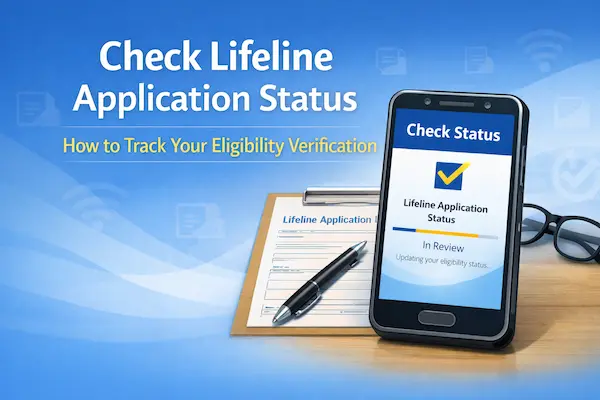
What “status” actually means in Lifeline
Your Lifeline journey has two stages, and each stage can show a different result.
Stage one is eligibility, which is where the National Verifier decides if you qualify for the Lifeline benefit.
Stage two is service enrollment, which is where your chosen company enrolls you and delivers service or a device if they offer one.
So if you were approved in the National Verifier, you can still be waiting on a provider step like account setup or shipping.
And if your provider says they’re waiting, your National Verifier account may show “needs more info” or “in review” until your documents are accepted.
This is also why the keyword lifeline national verifier check status matters, because that portal is where eligibility lives.
Provider pages matter too, especially if you’re watching for a phone shipment or activation instructions.
A quick map of where to check each status
| What you want to check | Where it usually shows | What you’ll need |
|---|---|---|
| Eligibility decision | National Verifier consumer portal | Login details and your application ID |
| Document review | National Verifier portal or letters | Clear proof files and correct personal info |
| Provider enrollment | Your chosen provider’s status page | Provider identifiers like ZIP, PIN, or application ID |
| Phone shipping or SIM activation | Provider tracking tools | Provider confirmation details |
If you keep this table in mind, you’ll stop checking the wrong place and expecting the wrong update.
How to apply and set yourself up to check Lifeline application status
You can make status tracking easy by applying in a way that creates a clean paper trail from day one.
This step-by-step is designed to reduce delays, prevent household duplication issues, and make your status easy to find.
Step-by-step (1–8)
- Confirm that no one in your household is already receiving a Lifeline benefit from another company.
- Pick your eligibility path, using either qualifying program participation or household income.
- Create your application using the official National Verifier portal, or apply with a participating provider that submits through the Verifier.
- Enter your name, date of birth, and address exactly as your official documents show them.
- Upload documents only if you are asked, and make sure they are readable and not cropped.
- Save your confirmation details, especially your application ID, because it is your tracking anchor later.
- After you qualify, choose a phone or internet company and complete any provider enrollment steps they require.
- Check your status in the right place, using the National Verifier for eligibility and the provider for service or shipping.
If you recently moved, use your current address consistently, including apartment numbers and directional letters.
If your income changes week to week, gather proof that matches the required timeframe and reflects your current reality.
If multiple adults share the same address, answer the household question carefully, because “one benefit per household” is strictly enforced.
A household generally means people who live together and share income and expenses, even if you are not related.
Documents you’ll need
You only need documents that match your eligibility path and verify your identity accurately.
- A benefits letter, approval notice, or official statement can be used to prove program participation when it clearly shows your name and program.
- A recent income document can be used if you qualify by income, such as a tax return or consecutive pay documentation if requested.
- A government-issued ID can help if your identity cannot be verified automatically.
- A proof of address document can help after a move if the system flags an address mismatch.
Make sure your uploads show the full page, including dates, agency names, and your identifying information.
If your photo is blurry or has glare, retake it now, because unreadable uploads are a common reason for delays.
How long it takes
Some applications are decided quickly when your information matches eligible databases automatically.
Other applications take longer when documents require manual review or when the household question needs clarification.
If you apply by mail, processing can take up to about two weeks after the application is received, depending on workload and verification needs.
If you apply through a provider, you may also see an additional provider processing window after they receive your application.
For example, TruConnect’s help guidance notes that processing and verification can take several business days in many cases.
Before you submit
This checklist prevents the easy mistakes that create “pending forever” status screens.
- Match your name spelling to your ID and your proof documents, including hyphens and middle initials.
- Confirm your date of birth is correct, because one digit wrong can block verification.
- Use the same address format everywhere, including apartment numbers, because mismatches trigger manual review.
- Confirm your household answer is accurate, because duplicate benefit flags can cause denials.
- Review each upload for readability and current dates, because outdated proof often gets rejected.
If anything looks inconsistent, fix it before you click submit, because corrections after submission often slow the process.
How to check status
You can check Lifeline application status in two main places, depending on what you are checking.
For eligibility status, log in to the National Verifier and use the “check application status” option inside your account.
For provider status, use the provider’s official status tool if you applied through them or if you are waiting on shipping or activation.
If you applied by mail, your updates may arrive as letters, so keep an eye on mail that references Lifeline eligibility.
If you need help understanding what you see, the Lifeline Support Center can help you interpret eligibility steps and document requests.
Check Lifeline application status in the National Verifier
The National Verifier is the official place to confirm whether you are eligible for Lifeline.
If your goal is eligibility tracking, this is usually the most accurate answer to “what is my status.”
When you see the phrase lifeline national verifier check status, people are usually trying to reach this exact function.
You may also see searches like checklifeline org application status, because CheckLifeline.org has been used as a public entry point for the National Verifier.
For safety, you should always confirm you are on an official portal before entering sensitive information.
A practical safety tip is to prefer official government or USAC-owned portals and avoid look-alike domains that mimic “check” language.
Once inside your account, you’ll typically see whether your application is pending, approved, needs documents, or denied.
If it says “needs documents,” follow the upload instructions carefully and submit only what is requested.
If it says “approved,” your next move is to sign up with a participating provider so your Lifeline discount can be applied to service.
If it says “denied,” jump to the denial fixes section below, because many denials are correctable.
Assurance Wireless status: what you can check and what you’ll be asked for
If you applied with Assurance Wireless and you want provider-side updates, you’ll use their official application tracking tools.
People often type www assurancewireless com check status because they’re trying to reach the Assurance tracking page quickly.
On Assurance’s status tools, you may be asked for details such as your service ZIP code and your application ID or account PIN.
In some cases, you may also be asked for personal verification details like last name, date of birth, and the last four digits of your Social Security Number.
That provider tracking view is commonly what people mean by assurance wireless phone status, especially when they are waiting on shipping or activation steps.
If your National Verifier status shows approved but the provider status is still pending, your provider may be working through enrollment or inventory steps.
If your provider status says they cannot find your application, double-check that you are using the same information you applied with.
Even a small mismatch, like a missing apartment number, can make a provider search fail.
If you searched assurance wireless ebb application status, you’re probably using an older term, because EBB was a temporary program and later affordability programs have changed.
In that case, focus on Lifeline eligibility status and current provider enrollment status, because that is what determines service today.
TruConnect Lifeline application status: the quickest ways to find it
If you’re checking TruConnect, the best move is to use TruConnect’s official status tools and your confirmation details.
People search truconnect lifeline application status when they want to see whether their application is processing, approved, or needs more information.
You might also see searches like truconnect com application status or check status of my truconnect application because applicants want a direct status page.
TruConnect also uses phrases like truconnect lifeline application status check to describe the same action, which is simply tracking your submission.
In many cases, you’ll need the same identifiers you used when you applied, such as your email, ZIP code, or phone number, depending on the tool.
If your status is not updating, check your spam folder for verification requests, because document requests can be delivered by email.
If you recently changed your address, update your information where allowed, because address mismatches can slow verification.
Why your status looks “stuck” and what it usually means
A stuck status usually has a simple cause, and you can often fix it without starting over.
The most common cause is a mismatch between the information you typed and the information on your documents.
The second most common cause is a household duplication flag, which happens when the system believes more than one Lifeline benefit exists for the same household.
The third common cause is unreadable documents, including cropped pages, glare, or missing dates.
Another common cause is checking the wrong system, like checking a provider page when your eligibility review is still pending in the National Verifier.
Once you match the cause to the correct system, your next steps become obvious instead of stressful.
If you get denied when you check Lifeline application status
If your status says denied, you should treat it as a specific fix list, not as a final answer.
Most denials happen because the system cannot verify something, not because you are truly ineligible.
Corrections you can make (in order)
- If the denial is identity-related, recheck your name format and upload clearer identity proof if requested.
- If the denial is address-related, submit accepted proof of address that matches your current residence exactly.
- If the denial is program-related, upload a newer benefits letter or notice that clearly shows active participation.
- If the denial is income-related, submit acceptable income proof that matches the requested timeframe and household size.
- If the denial is household duplication, complete the one-per-household clarification steps required for multiple adults at one address.
If you’re unsure what the denial reason means, don’t guess, because guessing usually creates a second denial.
Instead, match the denial reason to one precise correction and resubmit only what the instructions request.
Common status-check mistakes that cost you days
You can avoid the most common delays by steering clear of a few predictable mistakes.
- Do not submit multiple applications for the same person “just to be safe,” because duplicates can create conflicts.
- Do not change your name format between steps, because small differences can prevent automatic matching.
- Do not upload screenshots that cut off dates or agency names, because reviewers need complete proof.
- Do not use unofficial “status check” sites, because they may be designed to harvest personal information.
- Do not assume a provider status equals eligibility status, because those are different systems with different updates.
When you keep your application clean and consistent, your status becomes easier to read and faster to resolve.
A simple script to use when you call for help
If you decide to call for help, you’ll get better results when you speak in a clear, structured way.
Start by stating whether you are checking eligibility status or provider enrollment status.
Then share only the minimum information needed to locate your record, and avoid oversharing sensitive details unless you are sure you are speaking to an official support channel.
Finally, ask one direct question, like “What document is missing,” or “What is the next required step,” so you get a usable answer.
That approach keeps the call short and keeps you in control of the process.